From vacant to ready, without the chase.
Property Stride keeps every bid, approval, and deadline for a project — a unit turnover or a capital improvement — in one place, so when an owner asks where things stand, you already know.
Free to start. Your vendors and owners never need an account of their own.
Sound familiar?
Right now, a project lives in six places at once.
Bids you can't actually compare
Three vendors, three formats — one in a text, one in a PDF, one read to you over the phone. Picking the best price means rebuilding it in a spreadsheet first.
Owners asking for updates you don't have
“How's the unit coming?” is a simple question. Answering it means opening four threads and hoping nothing changed since the last one.
Projects that slip quietly
Nobody misses a deadline on purpose. They miss it because the drywall guy's start date only ever existed in someone's head.
Every day a unit sits half-managed is a day it isn't rented.
Why Property Stride
Built by someone who runs these projects.
You shouldn't need three apps and a spreadsheet to answer one question about one unit. Property Stride came out of managing real turns and renovations — chasing the same bids, fielding the same owner calls — so it's shaped around how the work actually moves. Your vendors quote in it. Your owners approve in it. You stop being the integration layer between them.
How it works
Three steps to a project you can actually see.
Invite vendors to bid
Send a request for the trade you need. Vendors quote against your line items from a link — no account, nothing to download.
Get the owner's sign-off
Share a clean, priced scope. The owner approves or declines each item, and you have it in writing.
Track it to done
Awarded work lands on a schedule with real dates. Progress, change orders, and final cost stay on the same page.
What changes
Monday morning, in one screen.
Property Stride showcases every active project, pending work, and which units are about to slip.
- One number, one aim — everyone is working from the same page.
- Owner approvals in writing — not buried in another thread.
- Accurate Ready-to-Lease Date — so leasing photos can be scheduled and listings created.
Competitive bidding, done right
Invite multiple vendors to quote the same scope and compare them side by side — one clean view instead of a stack of PDFs.
Markup you control
Set a rate and cap once, then choose whether an owner sees it at all — per portfolio, per property, or per project.
A dashboard that means something
Portfolio progress, spend in flight, overdue projects, and change-order outcomes — the real state of your book, not a vanity metric.
The product
What it actually looks like.
Four real screens, in the order a project runs.
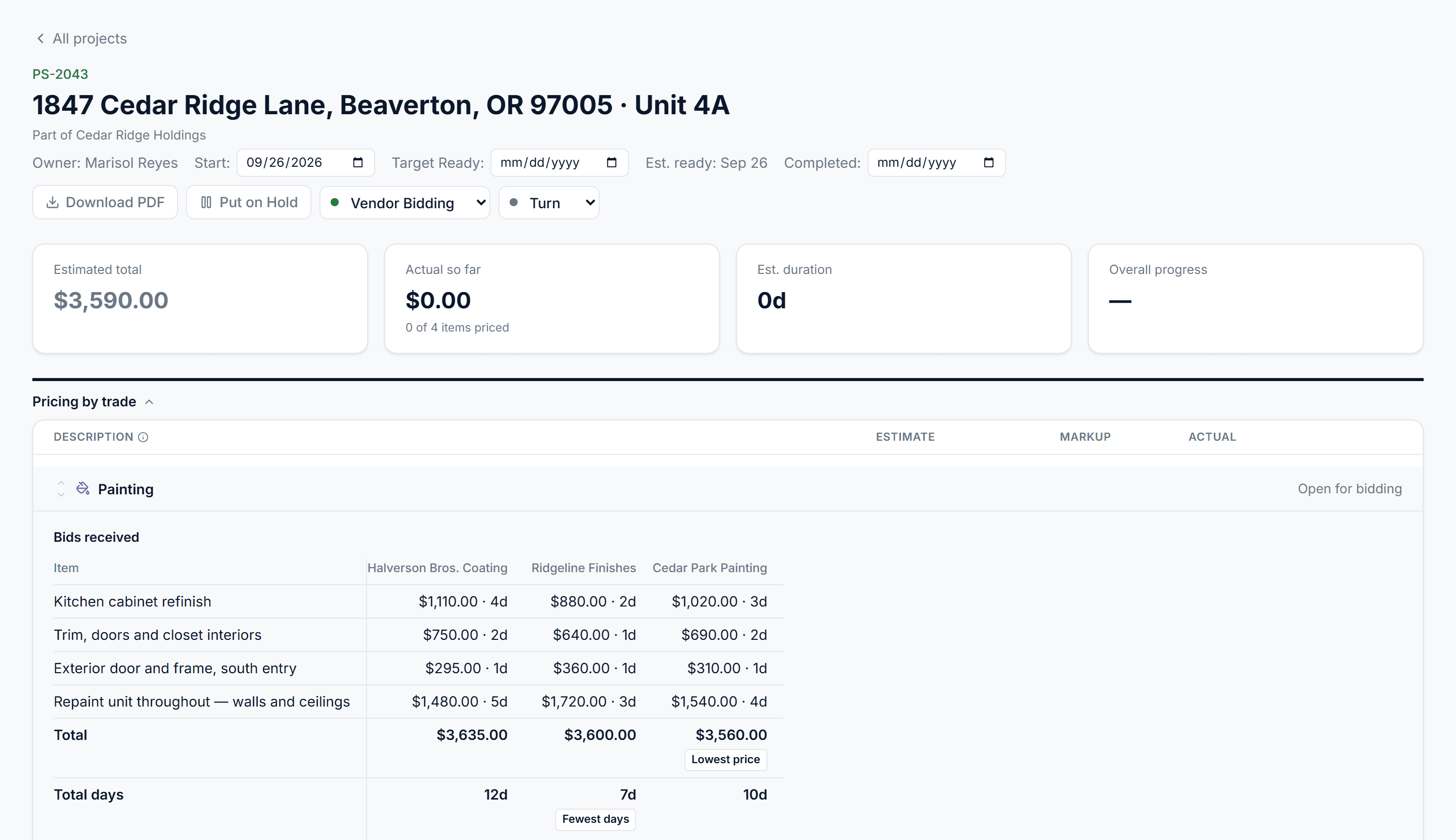
Three quotes, one view
Vendors price your line items from a link. Their numbers land side by side on the same scope — with the lowest price and the fewest days called out, so the trade-off is the decision rather than the arithmetic.
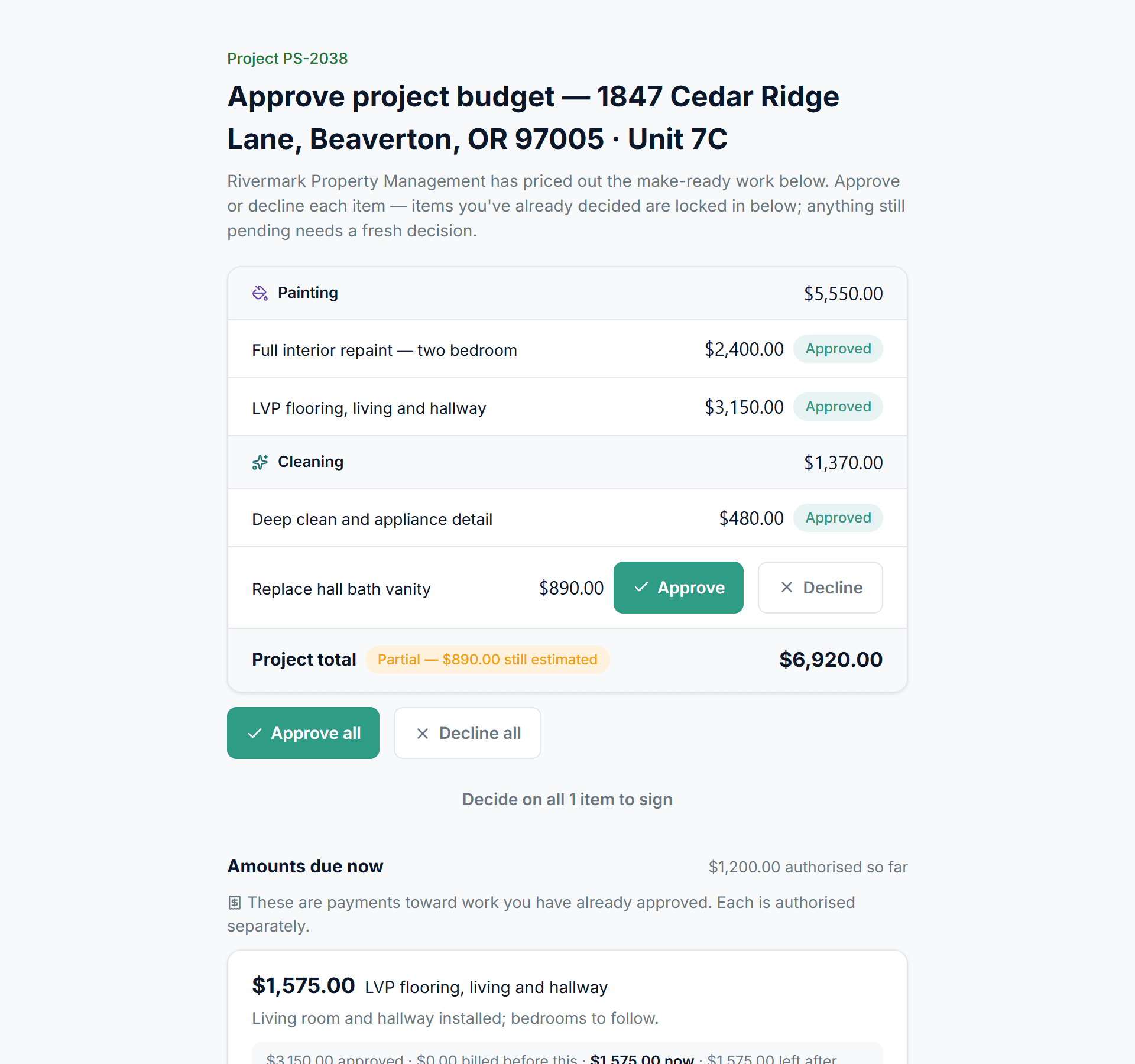
The owner signs off in writing
What the owner sees: every item priced, approve or decline one at a time, and a running project total. No account to create, and each payment against approved work is authorised separately.
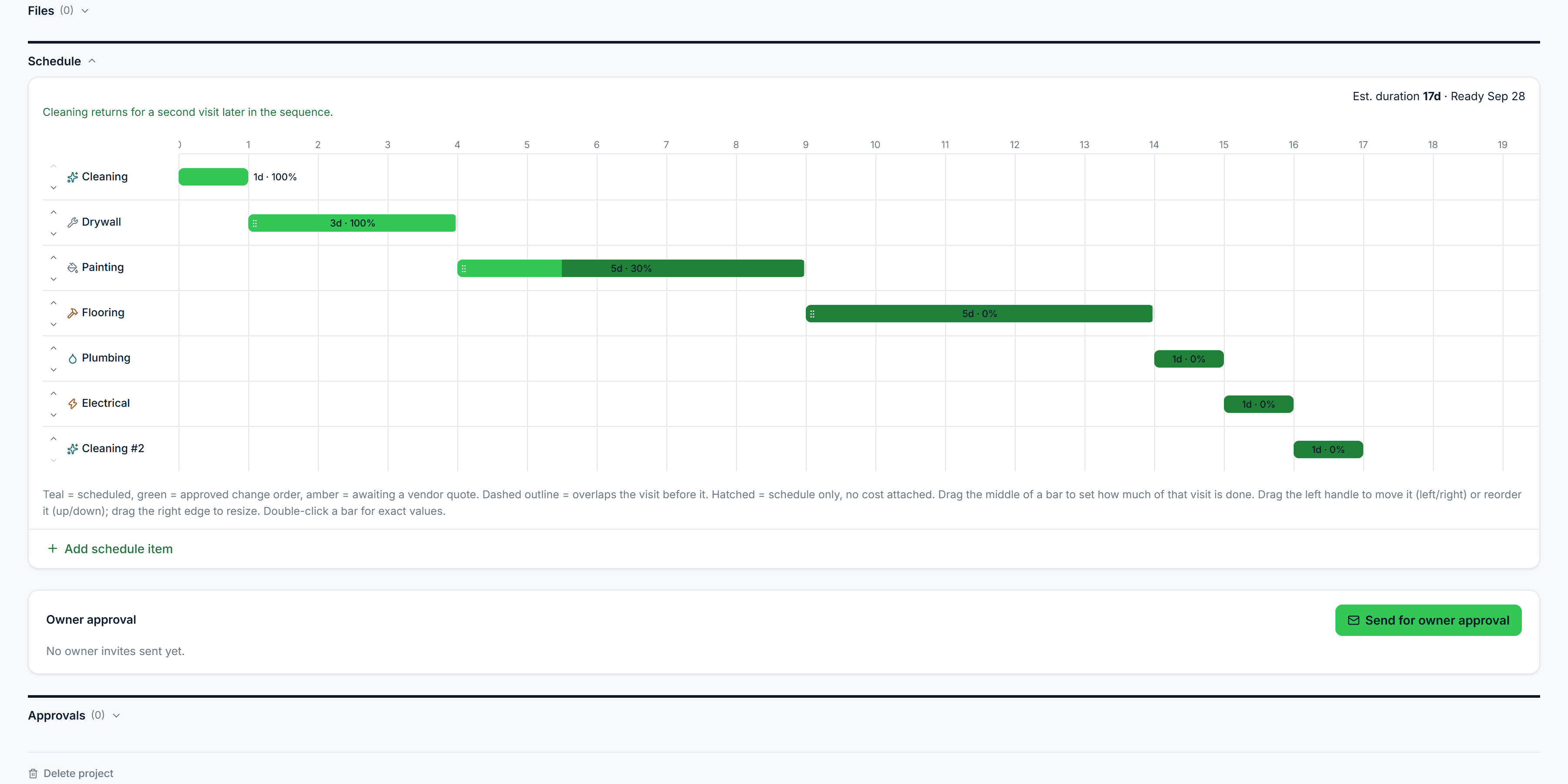
One timeline, real dates
Awarded work lands on a schedule. Each trade's visit carries its own duration and progress, a trade returning for a second visit shows up as exactly that, and the ready date is computed rather than promised.
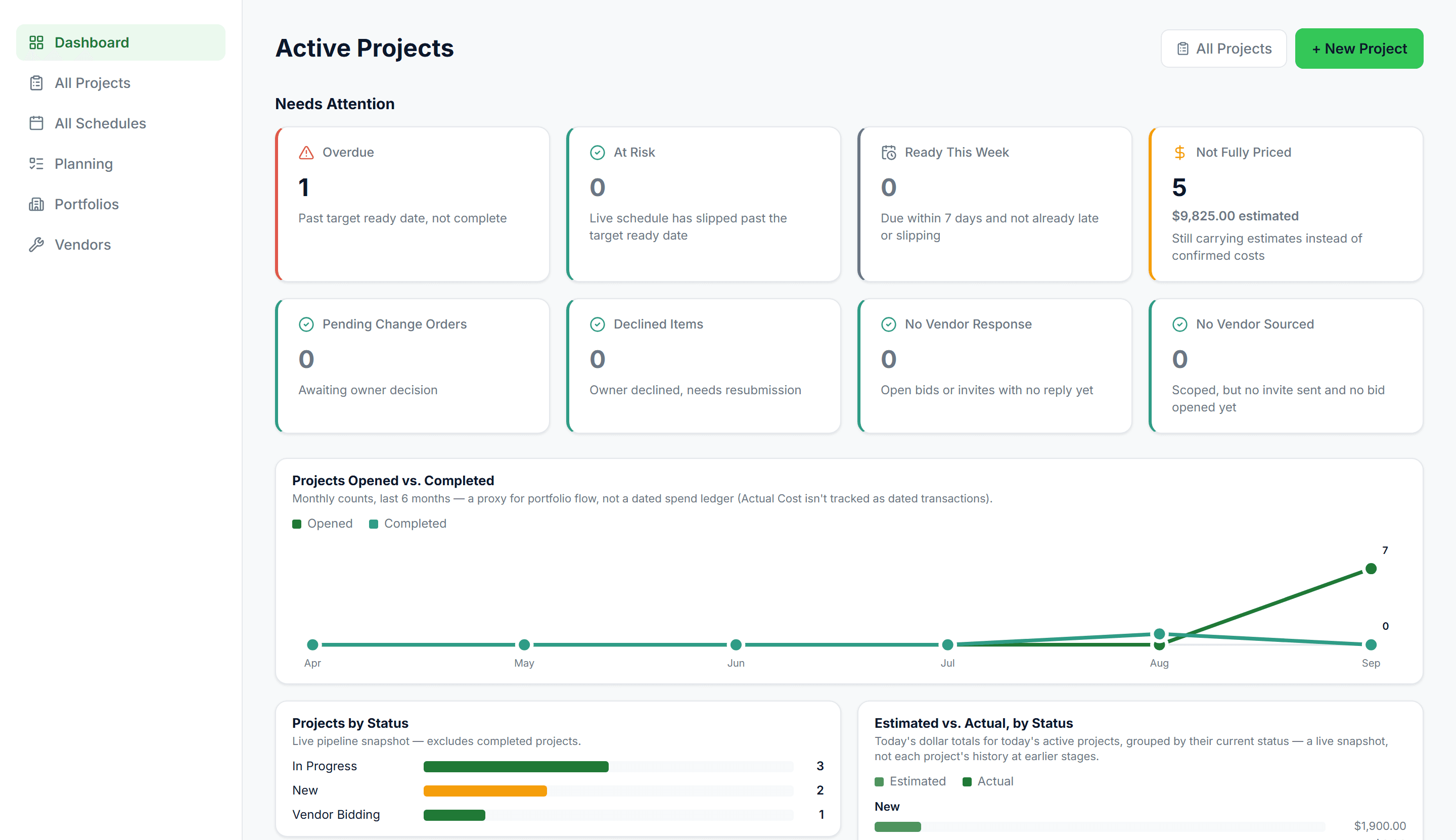
What needs you today
Across every project at once: what is past its date, which vendors have gone quiet, and what is still carrying an estimate instead of a confirmed cost.
Pricing
One flat monthly price, set by portfolio size.
What you pay depends on how many units you manage — nothing else. Not how many projects you run, not how many vendors you invite, and not how many owners you report to.
The practical part
The questions you'd ask next.
Do my vendors need accounts?
No. They quote from a link you send. Same for owners approving work.
How long until it's useful?
Your workspace is ready in seconds. You can run a real project the same day.
Is my data mixed in with anyone else's?
No. Every company gets its own private workspace.
What does it cost?
A flat monthly price set by how many units you manage, starting at $39. The full list is in the pricing table above.
You set the pace for your next project.
Set up your workspace, invite a vendor and get your project across the finish line in STRIDE.